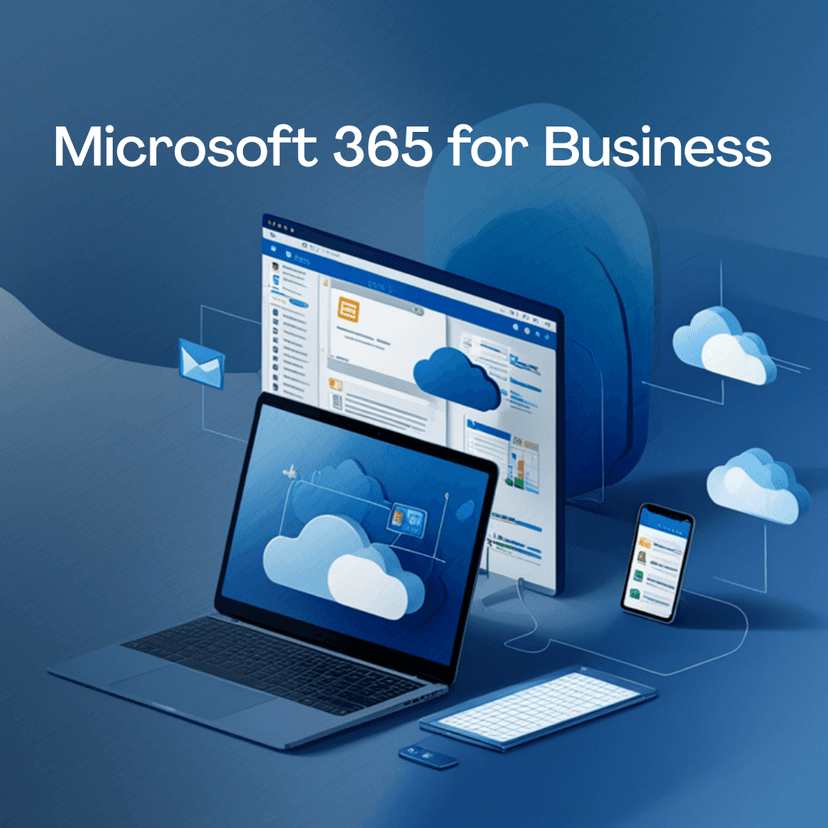
Microsoft 365 is the cloud based productivity platform that combines familiar Office apps with advanced collaboration tools. In Nepal, many businesses adopt it to enable remote work, streamline communication, and safeguard data. The subscription model provides continuous updates, so teams always have the latest features without manual upgrades.
Key components include Word, Excel, PowerPoint, Outlook, Teams, OneDrive, and SharePoint, plus AI assisted capabilities through Copilot in select plans. This combination supports document creation, real-time collaboration, and secure file sharing across devices and locations.
- Unified productivity suite across devices with consistent experiences
- Professional email, calendar, and collaboration in one ecosystem
- Cloud storage and real-time coauthoring for distributed teams
- Enhanced security with Defender, MFA, and compliance tools
- Regular updates and AI powered workflows to save time
| Benefit |
Impact for Nepali businesses |
| Cloud-first access |
Work from anywhere on any device with minimal setup |
| Integrated apps |
Reduce switching between tools; improve efficiency |
| Security and compliance |
Protect sensitive data and meet regulatory needs |
Microsoft 365 Business Standard combines essential Office apps with cloud services to support small teams. It covers Word, Excel, PowerPoint, Outlook, and OneNote, together with Teams, OneDrive, and SharePoint. The plan is designed for cross device access and consistent workflows.
- Web and desktop versions of core apps
- Business email with Exchange Online
- Cloud storage via OneDrive with file sharing
- Team collaboration through Teams and SharePoint
- Calendar, contacts, and scheduling in one place
- AI-assisted drafting and editing features in Word
Licensing targets small teams with predictable costs, delivering ongoing updates and standard deployment options. Multi-device activation lets users work across laptops, tablets, and phones without extra licenses.
Small teams relying on core Office apps and cloud collaboration benefit most. It suits organizations seeking reliable email, document management, and teamwork tools in a single package.
- Teams needing professional email and shared calendars
- Groups collaborating on documents with real time coauthoring
- Organizations prioritizing predictable monthly costs
- Businesses requiring secure file storage and seamless device support
The plan provides a practical balance between standard productivity and essential security features, making it a common first step for Nepalese organizations adopting cloud-enabled workflows.
Microsoft 365 Apps for Work blends core productivity tools with AI capabilities to enhance collaboration and efficiency. You access advanced features that help teams create, share, and refine content more effectively.
- Word, Excel, and PowerPoint with enhanced editing and design suggestions
- Outlook with improved scheduling and smart inbox management
- Teams for meetings, chat, and seamless file collaboration
- OneDrive for secure cloud storage with real-time syncing
- Copilot across Word, Excel, Outlook, Teams, and PowerPoint for drafting, data insights, and meeting summaries
Copilot provides contextual assistance, helps translate data into clear narratives, automates repetitive tasks, and supports quicker decision making. AI features aim to boost accuracy while preserving user control over outputs.
- Unified proposal and contract drafting with AI-assisted features in Word
- Financial planning and scenario analysis using Excel with AI insights
- Sales decks and investor briefings produced efficiently in PowerPoint
- Streamlined customer communication and scheduling through Outlook and Teams
- Knowledge sharing and project work in SharePoint and OneNote
- Remote collaboration across multiple locations with real-time coauthoring
| Use case |
Benefit for Nepalese teams |
| AI drafting |
Faster document creation with consistent tone and structure |
| Data-driven insights |
Better budgeting and forecasting through automated analysis |
| Collaborative reviews |
Reduced cycle times for approvals and feedback |
The Admin Center is the control hub for configuring access, roles, and policies across your organization. You can add and deactivate users, assign licenses, and manage groups from a single interface. Centralized user management helps ensure consistency and reduces administrative overhead.
- Create and disable user accounts quickly
- Assign roles with scoped permissions to limit access
- Group users by department, location, or project for targeted policies
- Bulk import and update user information to speed up onboarding
- Device management to enforce policy across PCs, Macs, and mobile devices
Security and compliance features in the Admin Center help protect data and meet regulatory requirements. You can configure multi-factor authentication, data loss prevention, and device protections, all aligned with your governance framework.
- Multi-Factor Authentication to strengthen sign-in security
- Conditional Access policies that adapt to user risk and location
- Data Loss Prevention to prevent sensitive information exposure
- Role-based access to restrict administrative actions
- Audit logs and activity reports for governance and investigations
| Administration area |
Key capabilities |
| User management |
Licensing, roles, groups, onboarding, offboarding |
| Device management |
Policy enforcement, enrollment, compliance checks |
| Security controls |
MFA, Conditional Access, DLP, auditing |
Microsoft 365 provides scalable cloud storage that adapts to business needs. OneDrive handles individual and small-team files, while SharePoint serves as a broader repository for team and project content. This separation keeps personal work distinct from shared assets.
- OneDrive provides 1 TB of secure cloud storage per user in most plans
- SharePoint enables team sites with centralized document libraries and workflow scenarios
- Granular permissions control who can view, edit, or share files
- Version history enables rollback to prior edits, reducing loss from mistakes
- Offline access via desktop and mobile applications keeps work flowing when internet is spotty
Coauthoring and content management in teams
Real-time collaboration is at the core of both OneDrive and SharePoint. Simultaneous edits, combined with metadata and search, help teams find and refine content quickly. Lists, libraries, and pages support structured knowledge management.
- Coauthoring across Word, Excel, and PowerPoint keeps teams in sync
- Shared libraries in SharePoint support document management workflows
- Coordinated approvals and check-in check-out controls streamline governance
- Metadata tagging and advanced search improve content discoverability
- Office applications automatically save changes to the cloud with autosave enabled
| Storage type |
Primary use |
Key benefits |
| OneDrive |
Individual and small-team files |
Personal backup, offline access, easy sharing |
| SharePoint |
Team sites and content hubs |
Structured collaboration, governance, scalable libraries |
Microsoft 365 provides a layered approach to threat protection across email, identities, and devices. These controls help you mitigate risk without disrupting workflows.
- Advanced Threat Protection to identify complex phishing and malware patterns
- Anti-phishing policies that adapt to user risk and external sender patterns
- Anti-malware scanning for email attachments and links
- Safe links and safe attachments to protect users in real time
- Security dashboards to monitor incidents and respond quickly
Align your setup with local and international requirements by building a clear compliance framework tied to data workflows. Start with documented data handling policies and ongoing monitoring.
- Define data residency and retention policies for Nepal-based data
- Configure data loss prevention rules to protect sensitive information
- Implement data classification and labeling to govern access
- Use audit logging and activity reports for governance and investigations
- Set up conditional access to enforce location and device-based controls
| Security feature |
Benefit |
| MFA and conditional access |
Strong sign-in security with context-aware access |
| Defender for Identity |
Detects compromised accounts and risky activity |
| Data Loss Prevention |
Protects sensitive information across apps and services |
Start with a clear assessment of your current systems and data. Map users, mailboxes, and files to their Microsoft 365 equivalents to avoid gaps during cutover. Set a realistic timeline that minimizes disruption to operations.
- Inventory existing email domains, user accounts, and data volumes
- Define migration milestones and owner responsibilities
- Prepare a communications plan to keep staff informed
- Validate domain ownership and DNS readiness before go live
Engage a Nepal-based partner with local deployment experience. They can align regional requirements with Microsoft best practices and ensure local support coverage. Plan for training and adoption to maximize user comfort with new tools.
- Schedule training sessions for core apps like Outlook, Teams, and OneDrive
- Set expectations for post migration support and ticket handling
- Prepare a rollback plan in case of unexpected issues
Avoid surprises by documenting configurations early. Ensure security policies migrate alongside data to preserve access controls from day one. Verify licensing aligns with projected user counts to prevent shortfalls after migration.
- Pitfall: inconsistent user profiles across systems; fix with standardized attributes
- Best practice: run a pilot with a small group before full rollout
- Pitfall: missing DNS changes causing mail delivery delays; confirm propagation
- Best practice: implement MFA and conditional access during setup
| Migration focus |
Recommended action |
Expected outcome |
| Domains and identities |
Verify ownership, align usernames, and map aliases |
Clean, consistent sign-ins from start |
| Data transfer |
Phase data move to OneDrive and SharePoint with metadata preserved |
Accessible content with structure intact |
| Security posture |
Apply MFA, conditional access, and DLP rules during migration |
Reduced risk from day one |
Stable Cluster provides legitimate Microsoft licensing as an official channel. You gain access to genuine licenses with verifiable provenance, avoiding counterfeit or unauthorized offers.
Buying through an authorized partner helps ensure you receive accurate product keys, compliant usage terms, and alignment with Nepal’s regulatory requirements.
Support is grounded in local expertise. You can reach engineers who understand regional connectivity, compliance needs, and business practices relevant to Nepal.
Local support reduces response times and simplifies escalation if you encounter deployment or adoption challenges.
-
- On-site or remote assistance tailored to Kathmandu and other cities
- Assistance with domain verification, DNS setup, and license management
- Proactive guidance for security configurations and user training
| Offering |
Benefit |
| Authorized licensing |
Genuine products, compliant terms, reliable activation |
| Nepal-based support |
Faster resolutions, local familiarity, easier billing |
| Migration and deployment services |
Smoother transitions with local project management |
Stable Cluster serves as an official Microsoft licensing channel with Nepal based support. You get legitimate licenses, reliable activation, and local billing. We provide ongoing assistance for deployment, migration, and license management tailored to Nepalese requirements.
Microsoft 365 fits organizations that need cloud based collaboration, remote work, and scalable licensing. It suits small teams seeking professional email and file sharing, as well as larger multi location enterprises requiring security, governance, and centralized administration.
Microsoft 365 adds security, AI features, and ongoing updates to the core Office tools. Office 365 refers to the Office apps with cloud services under older branding. In practice, Microsoft 365 provides the full productivity suite plus governance capabilities.
Both platforms support collaboration and cloud productivity. Microsoft 365 emphasizes Office app depth, enterprise security, and familiar workflows. Google Workspace centers on simple collaboration and speed. The right choice depends on your existing tools, licensing needs, and user familiarity.
Basic setup can be handled in-house, but IT support helps with domain verification, security policies, migrations, and ongoing governance. Local Nepal based support can improve response times and align configurations with local requirements.
Costs vary by plan and region. Consider user count, required features, and services like Teams and advanced compliance. A licensed partner can provide a precise quote aligned with Nepalese pricing and VAT invoicing.
Microsoft 365 combines core Office tools with a governance layer that covers identity, security, and compliance. It standardizes workflows across devices and locations, reducing disruption when teams move between office, home, and remote work.
Beyond word processing and spreadsheets, it introduces AI-assisted capabilities that streamline routine tasks and support content governance, helping your team focus on higher value work.
- Real-time coauthoring across Word, Excel, and PowerPoint accelerates decision making.
- Integrated email, calendar, and chat reduce context switching and improve responsiveness.
- Advanced security features protect data while preserving productivity and seamless access.
- Centralized administration simplifies license management and policy enforcement.
With Copilot and AI tools, teams gain faster insights, smarter content creation, and more consistent outputs across departments.
At Stable Cluster, we provide Nepali-based licensing, expert deployment, and ongoing governance support tailored to local realities. We help you select the right plan, migrate smoothly, and establish security and compliance baselines from day one.
Our team coordinates domain, DNS, and user onboarding while offering ongoing optimization and training to maximize value from Microsoft 365 in Nepal.